"B" Movie, Gil Scott-Heron [1982]
A Design for Life, Manic Street Preachers [1996]
A Soldier of Fortune, Deep Purple [1974]
Across 110th Street , Bobby Womack [1972]
Ain"t No Sunshine Bill Withers [1971]
All Along the Watchtower, Jimi Hendrix [1968]
Always ( Bon Jovi ) [1994]
Always somewhere, Scorpions [1979]
Angie , The Rolling Stones [1973]
Are You Ready Pacific Gas & Electric [1972]
As Strong As Samson, Procol Harum [1974]
Atlantic City Bruce Springsteen [1982]
Autumn Leaves [live version] Eva Cassidy [1996]
Babe.Styx [1977]
Bang Bang, Sylvie Vartan [1974]
Bangla Desh George Harrison [1971]
Belladonna.UFO
Black Dog, Led Zeppelin [1971]
Black Nightan, Deep Purple [1970]
Brothers in Arms, Dire Straits [1985]
Carrie.Europe
Child in Time, Deep Purple [1970]
Crocodile Shoes Jimmy Nail [1994]
Don"t Touch Me There, The Tubes [1976]
Dust in the wind. Kansas
Everyday Slade [1973]
Far Far Away Slade [1974]
Father of Night, Father of Day, Manfred Mann"s Earth Band [1973]
Five Years, David Bowie [1972]
For the Peace of All Mankind, Albert Hammond [1973)
Give to live.Sammy hagar
Going Back. Dusty Springfield [1966]
Grasshopper Man [1974]
Heart of Stone. The Rolling Stones [1965]
I Close My Eyes and Count to Ten, Dusty Springfield [1968]
I Dont Wanna Miss A Thing ( Aerosmith ) [1998]
I Live My Life For You ( Firehouse ) [1992]
I don.t want to talk about it.Rod stewart
I"ve Got My Eye on You [live version, Bette Midler [1983]
Immigrant Song, Led Zeppelin [1970]
In Zaire Johnny Wakelin [1976]
In a Broken Dream Python Lee Jackson [1970]
In my dream.Reo speed wagon
It Makes No Difference, The Band [1975]
July Morning Uriah Heep [1971]
Killer Queen Queen [1974]
Knockin" on Heaven"s Door Bob Dylan [1973]
Lady Eleanor, Lindisfarne [1972]
Like a Hurricane, Neil Young [1977]
Little Boy. Geordie [1974]
London Calling, The Clash [1979]
Look Away. Big Country [1986]
Love Rustler, Delbert McClinton [1977]
Love of lifetime.Fire house
Love of my life.Queen
Lover Lover Lover. Leonard Cohen [1974]
Mail Order Annie, Harry Chapin [1974]
Moonage Daydream David Bowie [1972]
My Back Pages, The Byrds [1967]
Nightmare .MSG
November rain, Guns N' Roses [1991]
Nutbush City Limits. Ike & Tina Turner [1973]
One Last Breath ( Creed ) [2002]
Papa Was a Rolling Stone, The Temptations [1972]
Point Blank Bruce Springsteen [1980]
Racing in the Street, Bruce Springsteen [1978]
Remember Yesterday John Miles [1976]
Santa fe.Bon jovie
Shooting Star, Bad Company [1975]
Silver Machine Hawkwind [1972]
Smokin" in the Boys Room Brownsville Station [1973]
Society"s Child, Janis Ian [1967]
Song for you, Chicago
Space Oddity. David Bowie [1969]
St. James Infirmary, Bobby "Blue" Bland [1961]
Stairway to heaven, Led zeppelin
Starvings in the Tropics String Driven Thing [1975]
Stranger in the City, John Miles [1976]
Street Life, The Crusaders featuring Randy Crawford [1979]
Suzanne, Pop Tops [1972]
Temple Of The King ( Rainbow ) [1995]
The Ballad of Lucy Jordan, Marianne Faithfull [1979]
The Blue Cafe Chris Rea [1998]
The Day Before You Came, Abba [1982]
The Guitar Man, Bread [1972]
The House of the Rising Sun Geordie [1974]
The Last Thing on My Mind The Move [1970]
The Man Who Sold the World, David Bowie [1971]
The River, Bruce Springsteen [1980] Hurricane, Bob Dylan [1976]
The Road to Hell Chris Rea [1989]
The Story in Your Eyes The Moody Blues [1971]
The Way I Choose Bad Company [1974]
The Weight, The Band [1968]
Time, Pink Floyd [1973]
Too Hot in the Kitchen, Darts [1977]
When a Blind Man Cries, Deep Purple [1972]
Whiter shade of pale.Pricol harum
Wishing Well, Free [1972]
Wonderful Life, Black [1987]
Working Class Hero, John Lennon [1970]
Thursday, November 8, 2012

Friday, June 1, 2012
How to change author name ? [ tag - blogger ]
- Sign in to your blogger
- Go to : dashboard > Design (Edit Layout) > Edit HTML
- Click on “Expand Widget Templates“
- Search for the following content
<span class="post-author vcard"> <b:if cond="data:top.showAuthor"> <data:top.authorlabel> <span class="fn"><data:post.author></data:post.author></span> </data:top.authorlabel></b:if> </span>
- Now replace
- Click on “Save Templates” and Refresh your site.
Monday, May 7, 2012
Custom Fav Icon For Blogger [ tag trick ]
It's very simple to make yours own icon then replace Blogger icon (B - orange letter).

keyword:
Icon,FavIcon, blogger, (blogger/blogspot), create, make, modify, change blogger icon, blogspot icon
blog trik, blog trik2, blog tips, blog tutorial, blog guide, blog information, blogtrik, blog info
What is Icon ?
Icon in this article are about Favorite or Bookmark Browser Icon. Icon that you can see in the left of address bar Browser.Notes:
Remember that icon size must be 24 x 24 pixel up to 32 x 32 pixel.Steps :
- Login to your blog (blogger/wordpress)
- Only copy/paste the blogger tag line code below here after :
<link href="http://www.blogger.com/favicon.ico" rel="icon" type="image/vnd.microsoft.icon">
</link>
- And then copy/paste the one of blogger tag line code below here before:
<link href="http://[Your Link URL]" rel="icon" type="image/vnd.microsoft.icon"></link>
or
<link href="http://[Your%20Link%20URL]" rel="icon" type="image/png"></link>
or
<link href="http://[Your%20Link%20URL]" rel="icon" type="image/png" rel='SHORTCUT ICON'></link>
- You must change [Your Link URL] with icon directory that you have uploaded.
It works very compatible if you are using Picasa Web (www.picasaweb.google.com).
keyword:
Icon,FavIcon, blogger, (blogger/blogspot), create, make, modify, change blogger icon, blogspot icon
blog trik, blog trik2, blog tips, blog tutorial, blog guide, blog information, blogtrik, blog info
You can use:
http://favicon.htmlkit.com/favicon/
Wednesday, December 15, 2010
Wordpress
WordPress is web software or CMS (Content Management System) framework & simple web hosting you can use to create a beautiful website or blog. We like to say that WordPress is both free and priceless at the same time.
The core software is built by hundreds of community volunteers, and when you’re ready for more there are thousands of plugins and themes available to transform your site into almost anything you can imagine. Over 25 million people have chosen WordPress to power the place on the web they call “home” — we’d love you to join the family.
source :wordpress.org
keyword : wordpress, blog, blog guide, blog trik, blog info, wordpress, plugin, themes
Saturday, December 11, 2010
Blogger Keyboard Shortcut [ shortcut ]
Blogger has several keyboard shortcuts you can use while editing posts. They definitely work in Internet Explorer 5.5+/Windows and the Mozilla family (1.6+ and Firefox 0.9+), and might work in other browsers.
Notes :
Remember to use "Modern Editor" or something like : "Updated editor (Recommended) - Check out the latest features!" for your "Post Editor"Steps :
Here they are:- control + b = Bold
- control + i = Italic
- control + l = Blockquote (when in HTML-mode only)
- control + z = Undo
- control + y = Redo
- control + shift + a = Link
- control + shift + p = Preview
- control + d = Save as Draft
- control + p = Publish Post
- control + s = Autosave and keep editing
- control + g = Indic transliteration
Thursday, September 16, 2010
Tips & Trik Word Count Posting Blog
If you post :
keyword :
blog trik, blog trik2, blog tips, blog tutorial, blog guide, blog information, blog info
- a tiny trick prefer has 50 words++
- a very short trick or info or news, often blogger & reader prefer like 100 - 150 words ++.
- a short trick, often blogger & reader prefer like 250 words ++.
- a how to trick, often blogger & reader prefer like 450 - 500 words ++.
keyword :
blog trik, blog trik2, blog tips, blog tutorial, blog guide, blog information, blog info
Saturday, June 26, 2010
Text editor [ list ]
You can use text editor to edit a simple modification of your blog posting or either edit any text document.
Here are (Programmer's) text editor list :
Here are (Programmer's) text editor list :
- Open source / Free
- jEdit
- Metapad
- Notepad2
XSL -XML
XSL
What is XSL?
XSL is a family of recommendations for defining XML document transformation and presentation.
It consists of three parts:
xsl:stylesheet element may contain the following types :
other alternative , CSS
other post :
What is XSL?
XSL is a family of recommendations for defining XML document transformation and presentation.
It consists of three parts:
- XSL Transformations (XSLT)
a language for transforming XML - XML Path Language (XPath)an expression language used by XSLT to access or refer to parts of an XML document. (XPath is also used by the XML Linking specification)
- XSL Formatting Objects (XSL-FO)
an XML vocabulary for specifying formatting semantics
xsl:stylesheet element may contain the following types :
xsl:importxsl:includexsl:strip-spacexsl:preserve-spacexsl:outputxsl:keyxsl:decimal-formatxsl:namespace-aliasxsl:attribute-setxsl:variablexsl:paramxsl:template
other alternative , CSS
other post :
Wednesday, March 3, 2010
Modifying / Pimping Feed Burner
Quick Guide to Make Recent Post & Recent Comment
If you visit to many blog, You will usually see the writing would be "Recent Post" and "Recent Comment", in Bahasa Indonesia call "Artikel terbaru" and "Komentar terbaru".
Now the tips and tricks on this blog I had been discussing how to create Recent Posts and Recent Comment using Feedburner. In this article, I wanted to share how to create Recent Posts and Recent Comment without using Feedburner, with a faster way.
How to create Recent Posts and Recent Comment use feeds:
1. Login your account Blogger
2. Choose Layout
3. Choose Feed
4. Enter this web address :
- For recent article / post : http://www..com/feeds/posts/default
- For recent comment : http://www.domain_name.com/feeds/comments/default
5. Finish
In Feed menu tersebut, you can specify how many recent articles and recent comments to display.
If you visit to many blog, You will usually see the writing would be "Recent Post" and "Recent Comment", in Bahasa Indonesia call "Artikel terbaru" and "Komentar terbaru".
Now the tips and tricks on this blog I had been discussing how to create Recent Posts and Recent Comment using Feedburner. In this article, I wanted to share how to create Recent Posts and Recent Comment without using Feedburner, with a faster way.
How to create Recent Posts and Recent Comment use feeds:
1. Login your account Blogger
2. Choose Layout
3. Choose Feed
4. Enter this web address :
- For recent article / post : http://www..com/feeds/posts/default
- For recent comment : http://www.domain_name.com/feeds/comments/default
5. Finish
In Feed menu tersebut, you can specify how many recent articles and recent comments to display.
Make A FavIcon to your Site / Blog
>link href="http://domain_fav_icon/Fav_icon_name.ico" rel="shortcut icon" type="image/x-icon"<>/link<
>link href="http://domain_fav_icon/Fav_icon_name.png" rel="icon" type="image/png"<>/link<
]]>{/b:skin}
{link rel="shortcut icon" href="http://domain_fav_icon/Fav_icon_name.ico" /}
{/head}
{body}
NOTE :
'{' equates to '<' '}' equates to '>'
>link href="http://domain_fav_icon/Fav_icon_name.png" rel="icon" type="image/png"<>/link<
]]>{/b:skin}
{link rel="shortcut icon" href="http://domain_fav_icon/Fav_icon_name.ico" /}
{/head}
{body}
NOTE :
'{' equates to '<' '}' equates to '>'
Graphics Banner Generator Online
http://cooltext.com/
http://www.bannerbreak.com/
Glitter/Animation Graphics , Graffiti Creator, Free Banner Maker
http://www.bannerfans.com/banner_maker.php
Web 2.0 Graphics Banner Text Generator Online
blog trik
http://www.bannerbreak.com/
Glitter/Animation Graphics , Graffiti Creator, Free Banner Maker
http://www.bannerfans.com/banner_maker.php
Web 2.0 Graphics Banner Text Generator Online
blog trik
Trik : Read More (Very Simple)
Blogger has introduced After the Jump a new feature which lets you create expandable post summaries in your blog posts, so longer posts appear as an intro with a link to Read More at the bottom.
Creating jump breaks in your blog posts can be easily done right from the post editor, without the need for any HTML changes.
Two way / alternative to make a Read More link
1. Place mouse cursor at the jump point, simply click the Insert Jump Break toolbar icon:
2. add this code into the post editor:
Creating jump breaks in your blog posts can be easily done right from the post editor, without the need for any HTML changes.
Two way / alternative to make a Read More link
1. Place mouse cursor at the jump point, simply click the Insert Jump Break toolbar icon:
2. add this code into the post editor:
>!-- more --<Related Post / Topic / Article :how to make read more hyperlink
Wednesday, February 10, 2010
Easy Guide : Make Thumbnail Similar Post
4 Easy Step to Make Thumbnail Similar Post
- Login to your blogger/ blog site.
- go to Link Within
- fill in Form
- Voila, Your Thumbnail Similar Post has been added to your blog site.

Friday, January 29, 2010
How to add Reactions to my blog? (blogger/blogspot)
Adding Reactions is done through the settings page of the Blog Post widget.
From the Layout > Page Elements tab, simply click the 'Edit' link under the Blog Post widget and a settings window will pop up.

The Configure Blog Post window will display a handful of options, and the Reactions feature is near the bottom of the list:

To turn on Reactions just select the checkbox, and then you will be able to customize the feature by adding words of your choosing. Finally, you can choose the exact location of Reactions by dragging the widget at the bottom of the Configure Blog Post page:

From the Layout > Page Elements tab, simply click the 'Edit' link under the Blog Post widget and a settings window will pop up.
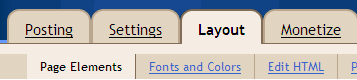
The Configure Blog Post window will display a handful of options, and the Reactions feature is near the bottom of the list:

To turn on Reactions just select the checkbox, and then you will be able to customize the feature by adding words of your choosing. Finally, you can choose the exact location of Reactions by dragging the widget at the bottom of the Configure Blog Post page:

Hack: Automatic Site Spoken Language(Google) Translate
source : http://translate.google.com/translate_t
If you want to automatically break out of the google frame
Just under the opening <head> tag:
<script language="JavaScript" type="text/javascript">
<!--
function framebreakout()
{
if (top.location != location) {
top.location.href = document.location.href ;
}
}
//-->
</script>
Make this language flag image :
http://kalphiter.com/images/flags/
and in the body tag:
<body onload="framebreakout()">
If you want to automatically break out of the google frame
Just under the opening <head> tag:
<script language="JavaScript" type="text/javascript">
<!--
function framebreakout()
{
if (top.location != location) {
top.location.href = document.location.href ;
}
}
//-->
</script>
Make this language flag image :
http://kalphiter.com/images/flags/
and in the body tag:
<body onload="framebreakout()">
How To : Make a Read More hyperLink
How To : Make a Read More hyperLink
First Step :
Langkah selanjutnya yaitu menambahkan kode pada template.
First Step :
- Login to Blogger

- Click Settings menu

- Click Formatting tab
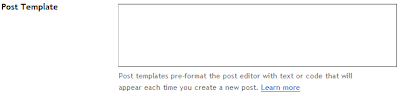
Go to the most-bottom page, at Post Template fill in the textarea :
<div class="fullpost">
</div>


Langkah selanjutnya yaitu menambahkan kode pada template.
- Click Dashboard hyperlink at top right corner
- Click Layout menu
- Click Edit HTML menu
- BACKUP your template. Save your Template with click Download Full Template, before upload template section. So anything accident can be save with restore another time.
- At Edit Template section, Check Expand Widget Template, wait a minute.
- Find this following code :
<div class='post-body'> - Copy the following code then Paste under code in step 6 :
<b:if cond='data:blog.pageType == "item"'>

<style>.fullpost{display:inline;}</style>

<p><data:post.body/></p>

<b:else/>

<style>.fullpost{display:none;}</style>
- Then search this following code :
<p><data:post.body/></p>
- Copy this HTML code & Paste below the HTML code in Step 8 :
<a expr:href='data:post.url'>Read More......</a>
</b:if>
- Click Save Template
Click Edit HTML at Posting Editor, then tempate must appear like this :
<div class="fullpost">
</div>
Write post when appear before reader/user click Read More... ,
before this code :
<div class="fullpost">
- Posting your content after the code in step and before this following code :
</div>
- Publish your Post
- Posting your content after the code in step and before this following code :
Hack : Translate your Site With Google Translate (Flag Image)
Pimp : Translate your Site With Google Translate (Flag Image)
One of the most reason visitor want to read your article blog is language that we use on our article posting and how to make our reader can understand the content. So if do you want to make our visitor understand with our article content, you can use Google translator to automatically translate your article language.
This facility/widget make your reader easier to read the article content. So we wish this widget can increase our site page views . Then no more barrier from our reader to express with our site
(example : read, comment/shouting a post, bookmark, etc).
1. Login to your Blog
2. Click Layout Tab
3. Click Page Elements Tab
4. Click Add Gadget
5. Click Basics > HTML/JavaScript options
6. Paste one of following script to Content box that you favor
a. Script for 1 lines / set
This facility/widget make your reader easier to read the article content. So we wish this widget can increase our site page views . Then no more barrier from our reader to express with our site
(example : read, comment/shouting a post, bookmark, etc).
Step to implement :
1. Login to your Blog
2. Click Layout Tab
3. Click Page Elements Tab
4. Click Add Gadget
5. Click Basics > HTML/JavaScript options
6. Paste one of following script to Content box that you favor
a. Script for 1 lines / set
<div style="overflow:no; width:100%px; height:100%px; padding: 5px; background: #FFFFFF;">

<center><a href="http://your_site_url.com/" target="_blank"><b>Google Translate</b></a></center>

<style>

.google_translate img { filter:alpha(opacity=100); -moz-opacity: 1.0; opacity: 1.0; }

.google_translate:hover img { filter:alpha(opacity=30); -moz-opacity: 0.30; opacity: 0.30; }

.google_translatextra:hover img { filter:alpha(opacity=0.30); -moz-opacity: 0.30; opacity: 0.30; }

</style>

<div style="overflow:no; width:100%px; height:100%px; padding: 5px 0px 0px 0px;">

<center>

<a class="google_translate" href="#" target="_blank" rel="nofollow" title="Arabic" onclick="window.open('http://translate.google.com/translate?u='+encodeURIComponent(location.href)+'&langpair=id%7Car&hl=en'); return false;"><img alt="Arabic" border="0" align="absbottom" title="Arabic" src="http://Arab_flag_image.gif" style="cursor: pointer;margin-right:3px"/></a>


<a class="google_translate" href="#" target="_blank" rel="nofollow" title="Korean" onclick="window.open('http://translate.google.com/translate?u='+encodeURIComponent(location.href)+'&langpair=id%7Cko&hl=en'); return false;"><img alt="Korean" border="0" align="absbottom" title="Korean" src="http://Korean_flag_image.gif" style="cursor: pointer;margin-right:3px"/></a>


<a class="google_translate" href="#" target="_blank" rel="nofollow" title="Japanese" onclick="window.open('http://translate.google.com/translate?u='+encodeURIComponent(location.href)+'&langpair=id%7Cja&hl=en'); return false;"><img alt="Japanese" border="0" align="absbottom" title="Japanese" src="http://Japan_flag_image.gif" style="cursor: pointer;margin-right:3px"/></a>


<a class="google_translate" href="#" target="_blank" rel="nofollow" title="Chinese Simplified" onclick="window.open('http://translate.google.com/translate?u='+encodeURIComponent(location.href)+'&langpair=id%7Czh-CN&hl=en'); return false;"><img alt="Chinese Simplified" border="0" align="absbottom" title="Chinese Simplified" src="http://China_flag_image.gif" style="cursor: pointer;margin-right:3px"/></a>


<a class="google_translate" href="#" target="_blank" rel="nofollow" title="Russian" onclick="window.open('http://translate.google.com/translate?u='+encodeURIComponent(location.href)+'&langpair=id%7Cru&hl=en'); return false;"><img alt="Russian" border="0" align="absbottom" title="Russian" src="http://Rusian_flag_image.gif" style="cursor: pointer;margin-right:3px"/></a>


<a class="google_translate" href="#" target="_blank" rel="nofollow" title="Portuguese" onclick="window.open('http://translate.google.com/translate?u='+encodeURIComponent(location.href)+'&langpair=id%7Cpt&hl=en'); return false;"><img alt="Portuguese" border="0" align="absbottom" title="Portuguese" src="http://Portuguese_flag_image.gif" style="cursor: pointer;margin-right:0px"/></a>


<a class="google_translate" href="#" target="_blank" rel="nofollow" title="English" onclick="window.open('http://translate.google.com/translate?u='+encodeURIComponent(location.href)+'&langpair=id%7Cen&hl=en'); return false;"><img alt="English" border="0" align="absbottom" title="English" src="http://United_kingdom_flag_image.gif" style="cursor: pointer;margin-right:3px"/></a>


<a class="google_translate" href="#" target="_blank" rel="nofollow" title="French" onclick="window.open('http://translate.google.com/translate?u='+encodeURIComponent(location.href)+'&langpair=id%7Cfr&hl=en'); return false;"><img alt="French" border="0" align="absbottom" title="French" src="http://French_flag_image.gif" style="cursor: pointer;margin-right:3px"/></a>


<a class="google_translate" href="#" target="_blank" rel="nofollow" title="German" onclick="window.open('http://translate.google.com/translate?u='+encodeURIComponent(location.href)+'&langpair=id%7Cde&hl=en'); return false;"><img alt="German" border="0" align="absbottom" title="German" src="http://German_flag_image.gif" style="cursor: pointer;margin-right:3px"/></a>


<a class="google_translate" href="#" target="_blank" rel="nofollow" title="Spain" onclick="window.open('http://translate.google.com/translate?u='+encodeURIComponent(location.href)+'&langpair=id%7Ces&hl=en'); return false;"><img alt="Spain" border="0" align="absbottom" title="Spain" src="http://Spanish_flag_image.gif" style="cursor: pointer;margin-right:3px"/></a>


<a class="google_translate" href="#" target="_blank" rel="nofollow" title="Italian" onclick="window.open('http://translate.google.com/translate?u='+encodeURIComponent(location.href)+'&langpair=id%7Cit&hl=en'); return false;"><img alt="Italian" border="0" align="absbottom" title="Italian" src="http://Italia_flag_image.gif" style="cursor: pointer;margin-right:3px"/></a>


<a class="google_translate" href="#" target="_blank" rel="nofollow" title="Dutch" onclick="window.open('http://translate.google.com/translate?u='+encodeURIComponent(location.href)+'&langpair=id%7Cnl&hl=en'); return false;"><img alt="Dutch" border="0" align="absbottom" title="Dutch" src="http://Netherland_flag_image.gif" style="cursor: pointer;margin-right:0px"/></a>

</center>

</div>


8. Script for 2 lines
 <div style="overflow:no; width:100%px; height:100%px; padding: 5px; background: #FFFFFF;">

<center><a href="http://your_site_url.com/" target=" blank"><b>Google Translate</b></a></center>

<style>

.google_translate img { filter:alpha(opacity=100); -moz-opacity: 1.0; opacity: 1.0; }

.google_translate:hover img { filter:alpha(opacity=30); -moz-opacity: 0.30; opacity: 0.30; }

.google_translatextra:hover img { filter:alpha(opacity=0.30); -moz-opacity: 0.30; opacity: 0.30; }

</style>

<div style="overflow:no; width:100%px; height:100%px; padding: 5px 0px 0px 0px;">

<center>

<a class="google_translate" href="#" target="_blank" rel="nofollow" title="Arabic" onclick="window.open('http://translate.google.com/translate?u='+encodeURIComponent(location.href)+'&langpair=id%7Car&hl=en'); return false;"><img alt="Arabic" border="0" align="absbottom" title="Arabic" src="http://Arab_flag_image.gif" style="cursor: pointer;margin-right:3px"/></a>


<a class="google_translate" href="#" target="_blank" rel="nofollow" title="Korean" onclick="window.open('http://translate.google.com/translate?u='+encodeURIComponent(location.href)+'&langpair=id%7Cko&hl=en'); return false;"><img alt="Korean" border="0" align="absbottom" title="Korean" src="http://Korean_flag_image.gif" style="cursor: pointer;margin-right:3px"/></a>


<a class="google_translate" href="#" target="_blank" rel="nofollow" title="Japanese" onclick="window.open('http://translate.google.com/translate?u='+encodeURIComponent(location.href)+'&langpair=id%7Cja&hl=en'); return false;"><img alt="Japanese" border="0" align="absbottom" title="Japanese" src="http://Japan_flag_image.gif" style="cursor: pointer;margin-right:3px"/></a>


<a class="google_translate" href="#" target="_blank" rel="nofollow" title="Chinese Simplified" onclick="window.open('http://translate.google.com/translate?u='+encodeURIComponent(location.href)+'&langpair=id%7Czh-CN&hl=en'); return false;"><img alt="Chinese Simplified" border="0" align="absbottom" title="Chinese Simplified" src="http://China_flag_image.gif" style="cursor: pointer;margin-right:3px"/></a>


<a class="google_translate" href="#" target="_blank" rel="nofollow" title="Russian" onclick="window.open('http://translate.google.com/translate?u='+encodeURIComponent(location.href)+'&langpair=id%7Cru&hl=en'); return false;"><img alt="Russian" border="0" align="absbottom" title="Russian" src="http://Rusian_flag_image.gif" style="cursor: pointer;margin-right:3px"/></a>


<a class="google_translate" href="#" target="_blank" rel="nofollow" title="Portuguese" onclick="window.open('http://translate.google.com/translate?u='+encodeURIComponent(location.href)+'&langpair=id%7Cpt&hl=en'); return false;"><img alt="Portuguese" border="0" align="absbottom" title="Portuguese" src="http://Portuguese_flag_image.gif" style="cursor: pointer;margin-right:0px"/></a>

</center>


<center>

<a class="google_translate" href="#" target="_blank" rel="nofollow" title="English" onclick="window.open('http://translate.google.com/translate?u='+encodeURIComponent(location.href)+'&langpair=id%7Cen&hl=en'); return false;"><img alt="English" border="0" align="absbottom" title="English" src="http://United_kingdom_flag_image.gif" style="cursor: pointer;margin-right:3px"/></a>


<a class="google_translate" href="#" target="_blank" rel="nofollow" title="French" onclick="window.open('http://translate.google.com/translate?u='+encodeURIComponent(location.href)+'&langpair=id%7Cfr&hl=en'); return false;"><img alt="French" border="0" align="absbottom" title="French" src="http://French_flag_image.gif" style="cursor: pointer;margin-right:3px"/></a>


<a class="google_translate" href="#" target="_blank" rel="nofollow" title="German" onclick="window.open('http://translate.google.com/translate?u='+encodeURIComponent(location.href)+'&langpair=id%7Cde&hl=en'); return false;"><img alt="German" border="0" align="absbottom" title="German" src="http://German_flag_image.gif" style="cursor: pointer;margin-right:3px"/></a>


<a class="google_translate" href="#" target="_blank" rel="nofollow" title="Spain" onclick="window.open('http://translate.google.com/translate?u='+encodeURIComponent(location.href)+'&langpair=id%7Ces&hl=en'); return false;"><img alt="Spain" border="0" align="absbottom" title="Spain" src="http://Spanish_flag_image.gif" style="cursor: pointer;margin-right:3px"/></a>


<a class="google_translate" href="#" target="_blank" rel="nofollow" title="Italian" onclick="window.open('http://translate.google.com/translate?u='+encodeURIComponent(location.href)+'&langpair=id%7Cit&hl=en'); return false;"><img alt="Italian" border="0" align="absbottom" title="Italian" src="http://Italia_flag_image.gif" style="cursor: pointer;margin-right:3px"/></a>


<a class="google_translate" href="#" target="_blank" rel="nofollow" title="Dutch" onclick="window.open('http://translate.google.com/translate?u='+encodeURIComponent(location.href)+'&langpair=id%7Cnl&hl=en'); return false;"><img alt="Dutch" border="0" align="absbottom" title="Dutch" src="Netherland_flag_image.gif" style="cursor: pointer;margin-right:0px"/></a>

</center>

</div>

</div>
9. Script for 3 lines
<div style="overflow:no; width:100%px; height:100%px; padding: 5px; background: #FFFFFF;">Result (for 3 lines flag) :
<center><a href="
http://your_url_site.com/" target=" blank"><b>Google Translate</b></a></center>
<style>
.google_translate img { filter:alpha(opacity=100); -moz-opacity: 1.0; opacity: 1.0; }
.google_translate:hover img { filter:alpha(opacity=30); -moz-opacity: 0.30; opacity: 0.30; }
.google_translatextra:hover img { filter:alpha(opacity=0.30); -moz-opacity: 0.30; opacity: 0.30; }
</style>
<div style="overflow:no; width:100%px; height:100%px; padding: 5px 0px 0px 0px;">
<center>
<a class="google_translate" href="#" target="_blank" rel="nofollow" title="Arabic" onclick="window.open('http://translate.google.com/translate?u='+encodeURIComponent(location.href)+'&langpair=id%7Car&hl=en'); return false;"><img alt="Arabic" border="0" align="absbottom" title="Arabic" src="http://Arab_flag_image.gif" style="cursor: pointer;margin-right:3px"/></a>
<a class="google_translate" href="#" target="_blank" rel="nofollow" title="Korean" onclick="window.open('http://translate.google.com/translate?u='+encodeURIComponent(location.href)+'&langpair=id%7Cko&hl=en'); return false;"><img alt="Korean" border="0" align="absbottom" title="Korean" src="http://Korean_flag_image.gif" style="cursor: pointer;margin-right:3px"/></a>
<a class="google_translate" href="#" target="_blank" rel="nofollow" title="Japanese" onclick="window.open('http://translate.google.com/translate?u='+encodeURIComponent(location.href)+'&langpair=id%7Cja&hl=en'); return false;"><img alt="Japanese" border="0" align="absbottom" title="Japanese" src="http://Japan_flag_image.gif" style="cursor: pointer;margin-right:3px"/></a>
<a class="google_translate" href="#" target="_blank" rel="nofollow" title="Chinese Simplified" onclick="window.open('http://translate.google.com/translate?u='+encodeURIComponent(location.href)+'&langpair=id%7Czh-CN&hl=en'); return false;"><img alt="Chinese Simplified" border="0" align="absbottom" title="Chinese Simplified" src="http://China_flag_image.gif" style="cursor: pointer;margin-right:0px"/></a>
</center>
<center>
<a class="google_translate" href="#" target="_blank" rel="nofollow" title="Russian" onclick="window.open('http://translate.google.com/translate?u='+encodeURIComponent(location.href)+'&langpair=id%7Cru&hl=en'); return false;"><img alt="Russian" border="0" align="absbottom" title="Russian" src="http://Rusian_flag_image.gif" style="cursor: pointer;margin-right:3px"/></a>
<a class="google_translate" href="#" target="_blank" rel="nofollow" title="Portuguese" onclick="window.open('http://translate.google.com/translate?u='+encodeURIComponent(location.href)+'&langpair=id%7Cpt&hl=en'); return false;"><img alt="Portuguese" border="0" align="absbottom" title="Portuguese" src="http://Portuguese_flag_image.gif" style="cursor: pointer;margin-right:3px"/></a>
<a class="google_translate" href="#" target="_blank" rel="nofollow" title="English" onclick="window.open('http://translate.google.com/translate?u='+encodeURIComponent(location.href)+'&langpair=id%7Cen&hl=en'); return false;"><img alt="English" border="0" align="absbottom" title="English" src="http://United_kingdom_flag_image.gif" style="cursor: pointer;margin-right:3px"/></a>
<a class="google_translate" href="#" target="_blank" rel="nofollow" title="French" onclick="window.open('http://translate.google.com/translate?u='+encodeURIComponent(location.href)+'&langpair=id%7Cfr&hl=en'); return false;"><img alt="French" border="0" align="absbottom" title="French" src="http://French_flag_image.gif" style="cursor: pointer;margin-right:0px"/></a>
</center>
<center>
<a class="google_translate" href="#" target="_blank" rel="nofollow" title="German" onclick="window.open('http://translate.google.com/translate?u='+encodeURIComponent(location.href)+'&langpair=id%7Cde&hl=en'); return false;"><img alt="German" border="0" align="absbottom" title="German" src="http://German_flag_image.gif" style="cursor: pointer;margin-right:3px"/></a>
<a class="google_translate" href="#" target="_blank" rel="nofollow" title="Spain" onclick="window.open('http://translate.google.com/translate?u='+encodeURIComponent(location.href)+'&langpair=id%7Ces&hl=en'); return false;"><img alt="Spain" border="0" align="absbottom" title="Spain" src="http://Spanish_flag_image.gif" style="cursor: pointer;margin-right:3px"/></a>
<a class="google_translate" href="#" target="_blank" rel="nofollow" title="Italian" onclick="window.open('http://translate.google.com/translate?u='+encodeURIComponent(location.href)+'&langpair=id%7Cit&hl=en'); return false;"><img alt="Italian" border="0" align="absbottom" title="Italian" src="
http://Italia_flag_image.gif" style="cursor: pointer;margin-right:3px"/></a>
<a class="google_translate" href="#" target="_blank" rel="nofollow" title="Dutch" onclick="window.open('http://translate.google.com/translate?u='+encodeURIComponent(location.href)+'&langpair=id%7Cnl&hl=en'); return false;"><img alt="Dutch" border="0" align="absbottom" title="Dutch" src="http://Netherland_flag_image.gif" style="cursor: pointer;margin-right:0px"/></a>
</center>
</div>
</div>
10. Script for 4 line
<div style="overflow:no; width:100%px; height:100%px; padding: 5px; background: #FFFFFF;">

<center><a href="

http://your_url_site.com/" target=" blank"><b>Google Translate</b></a></center>

<style>

.google_translate img { filter:alpha(opacity=100); -moz-opacity: 1.0; opacity: 1.0; }

.google_translate:hover img { filter:alpha(opacity=30); -moz-opacity: 0.30; opacity: 0.30; }

.google_translatextra:hover img { filter:alpha(opacity=0.30); -moz-opacity: 0.30; opacity: 0.30; }

</style>

<div style="overflow:no; width:100%px; height:100%px; padding: 5px 0px 0px 0px;">

<center>

<a class="google_translate" href="#" target="_blank" rel="nofollow" title="Arabic" onclick="window.open('http://translate.google.com/translate?u='+encodeURIComponent(location.href)+'&langpair=id%7Car&hl=en'); return false;"><img alt="Arabic" border="0" align="absbottom" title="Arabic" src="http://Arab_flag_image.gif" style="cursor: pointer;margin-right:3px"/></a>


<a class="google_translate" href="#" target="_blank" rel="nofollow" title="Korean" onclick="window.open('http://translate.google.com/translate?u='+encodeURIComponent(location.href)+'&langpair=id%7Cko&hl=en'); return false;"><img alt="Korean" border="0" align="absbottom" title="Korean" src="http://Korean_flag_image.gif" style="cursor: pointer;margin-right:3px"/></a>


<a class="google_translate" href="#" target="_blank" rel="nofollow" title="Japanese" onclick="window.open('http://translate.google.com/translate?u='+encodeURIComponent(location.href)+'&langpair=id%7Cja&hl=en'); return false;"><img alt="Japanese" border="0" align="absbottom" title="Japanese" src="http://Japan_flag_image.gif" style="cursor: pointer;margin-right:0px"/></a>

</center>


<center>

<a class="google_translate" href="#" target="_blank" rel="nofollow" title="Chinese Simplified" onclick="window.open('http://translate.google.com/translate?u='+encodeURIComponent(location.href)+'&langpair=id%7Czh-CN&hl=en'); return false;"><img alt="Chinese Simplified" border="0" align="absbottom" title="Chinese Simplified" src="http://China_flag_image.gif" style="cursor: pointer;margin-right:3px"/></a>


<a class="google_translate" href="#" target="_blank" rel="nofollow" title="Russian" onclick="window.open('http://translate.google.com/translate?u='+encodeURIComponent(location.href)+'&langpair=id%7Cru&hl=en'); return false;"><img alt="Russian" border="0" align="absbottom" title="Russian" src="http://Rusian_flag_image.gif" style="cursor: pointer;margin-right:3px"/></a>


<a class="google_translate" href="#" target="_blank" rel="nofollow" title="Portuguese" onclick="window.open('http://translate.google.com/translate?u='+encodeURIComponent(location.href)+'&langpair=id%7Cpt&hl=en'); return false;"><img alt="Portuguese" border="0" align="absbottom" title="Portuguese" src="http://Portuguese_flag_image.gif" style="cursor: pointer;margin-right:0px"/></a>

</center>


<center>

<a class="google_translate" href="#" target="_blank" rel="nofollow" title="English" onclick="window.open('http://translate.google.com/translate?u='+encodeURIComponent(location.href)+'&langpair=id%7Cen&hl=en'); return false;"><img alt="English" border="0" align="absbottom" title="English" src="http://United_kingdom_flag_image.gif" style="cursor: pointer;margin-right:3px"/></a>


<a class="google_translate" href="#" target="_blank" rel="nofollow" title="French" onclick="window.open('http://translate.google.com/translate?u='+encodeURIComponent(location.href)+'&langpair=id%7Cfr&hl=en'); return false;"><img alt="French" border="0" align="absbottom" title="French" src="http://French_flag_image.gif" style="cursor: pointer;margin-right:3px"/></a>


<a class="google_translate" href="#" target="_blank" rel="nofollow" title="German" onclick="window.open('http://translate.google.com/translate?u='+encodeURIComponent(location.href)+'&langpair=id%7Cde&hl=en'); return false;"><img alt="German" border="0" align="absbottom" title="German" src="

http://German_flag_image.gif" style="cursor: pointer;margin-right:0px"/></a>

</center>


<center>

<a class="google_translate" href="#" target="_blank" rel="nofollow" title="Spain" onclick="window.open('http://translate.google.com/translate?u='+encodeURIComponent(location.href)+'&langpair=id%7Ces&hl=en'); return false;"><img alt="Spain" border="0" align="absbottom" title="Spain" src="http://Spanish_flag_image.gif" style="cursor: pointer;margin-right:3px"/></a>


<a class="google_translate" href="#" target="_blank" rel="nofollow" title="Italian" onclick="window.open('http://translate.google.com/translate?u='+encodeURIComponent(location.href)+'&langpair=id%7Cit&hl=en'); return false;"><img alt="Italian" border="0" align="absbottom" title="Italian" src="http://Italia_flag_image.gif" style="cursor: pointer;margin-right:3px"/></a>


<a class="google_translate" href="#" target="_blank" rel="nofollow" title="Dutch" onclick="window.open('http://translate.google.com/translate?u='+encodeURIComponent(location.href)+'&langpair=id%7Cnl&hl=en'); return false;"><img alt="Dutch" border="0" align="absbottom" title="Dutch" src="

http://Netherland_flag_image.gif" style="cursor: pointer;margin-right:0px"/></a>

</center>

</div>

</div>
Result (for 4 lines flag) :
11. Customize code text with red color depends on your favor.
For color list, visit : html-color-codes
12. Click Save
13. Finish
Subscribe to:
Posts (Atom)